6 Tips to Make Any Gaming Setup Cozier in One Weekend
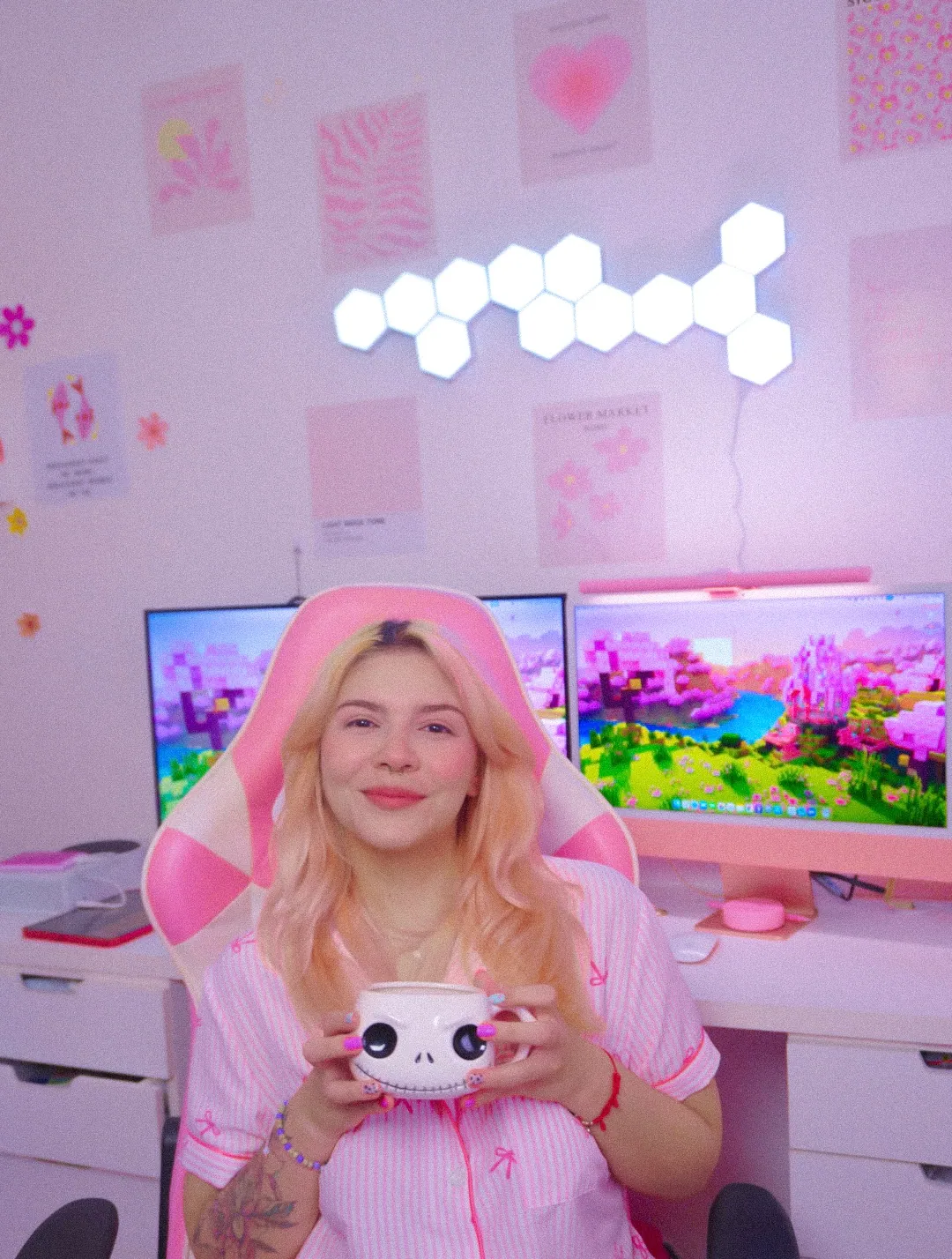
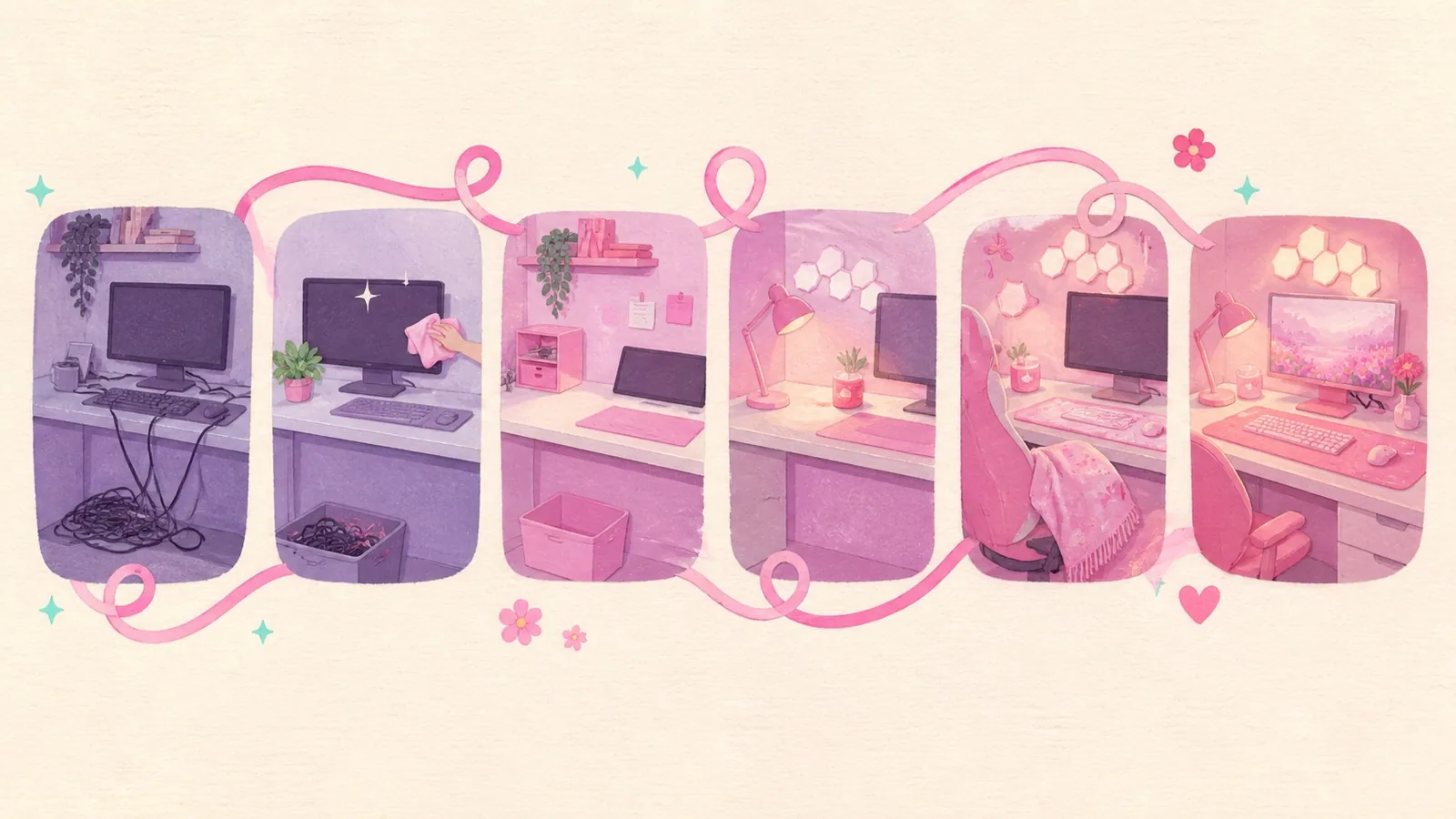
A setup gets cozier in one weekend when you do six things in this order: cables, light, the desk surface, one soft thing, one green thing, then a corner to sit in that isn't the desk.
The order is most of the trick. Almost every version of this list opens with lighting, and lighting is the one you can't take back once an LED strip is stuck along the edge you still needed to run a cable down.
I know because I did it backwards. Twice! So here's the version I'd hand my past self, with what needs to be on the desk before Saturday morning and the single step no weekend is long enough for.
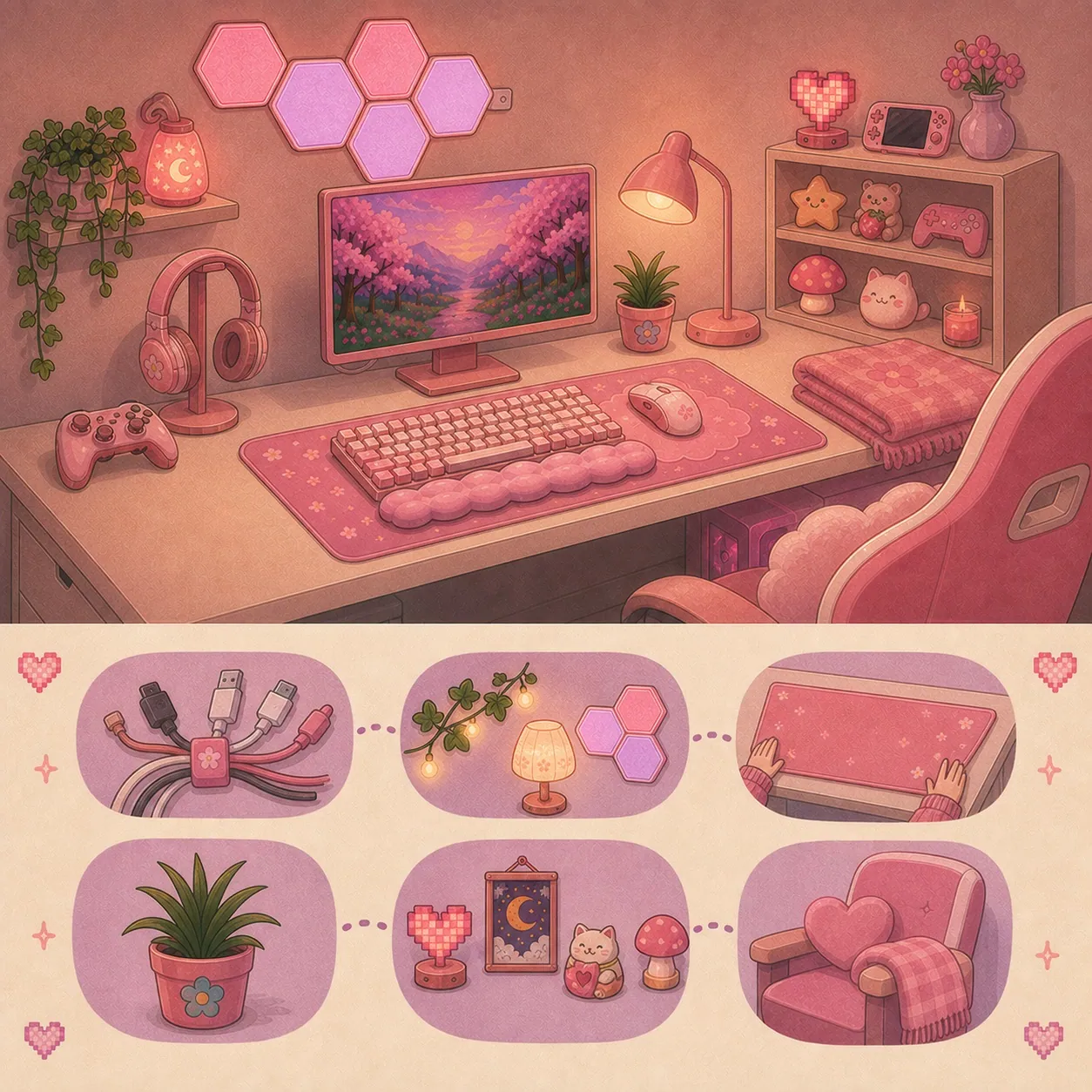
The weekend, hour by hour
Here's the shape of it. Two evenings and two mornings, with the slow steps sitting where they have time to work.
| When | What you're doing | Why it's here |
|---|---|---|
| Friday evening | Clear the desk completely. Everything off, including the monitor if you can lift it | You can't route a cable around objects. You've also stopped being able to see your own desk |
| Saturday morning | Cables. Bundle, shorten, move the power strip, then hide what's left | Everything else goes on top of this layer |
| Saturday afternoon | Lighting. Bulb first, then the light bar, then any strip or panel | Adhesive gets its cure time overnight instead of ten minutes |
| Saturday evening | Sit in it with the ceiling light off. Change nothing | This is the step people skip and it's the one that tells you what's wrong |
| Sunday morning | Desk mat down, then the five objects that earn a place on top of it | A mat under a cleared desk takes four minutes. A mat under a full desk takes an hour |
| Sunday afternoon | Greenery, the comfort corner and the photograph | The corner is the reward. The photo is how you find the last cable |
The Saturday evening step is not filler. Sitting in a half-finished room for twenty minutes with the overhead light off is the only way to find out that your new strip is pointing at your eyeline, and it costs nothing to discover it before the adhesive has fully set.
What to have on the desk before Saturday
Order early in the week, whatever your delivery speed looks like. Nothing here is exciting and all of it is the reason the weekend works.
| Have ready | Which one | For |
|---|---|---|
| Velcro ties | VELCRO Brand ONE-WRAP Cable Ties | Step one, and the cheapest thing on the list |
| Cord clips | white silicone cord clips, or the pink version of the same clip | Holding the two cables you want reachable |
| A warm bulb | Govee Smart Light Bulbs, A19, E26 | Layer one, in a lamp you already own |
| A desk mat | TONOS XXL Pink Leather Desk Mat | The largest surface change available to you |
| Something soft | Bedsure Soft Sherpa Blanket | The comfort corner, and the desk chair before it |
| Something green | artificial ivy garland | Eye level, above the pink |
| Rubbing alcohol | Whatever's in the cupboard | 3M asks for it before any strip goes down and nobody does it |
1. Start with the cables, because everything else sits on top of them
Do the cables first. Not because it's satisfying, which it is. Every other change on this list either sits on the desk surface or sticks to something, and both of those are decisions you make once.
The order inside this step matters as much as the step itself.
Bundle before you hide anything.VELCRO Brand ONE-WRAP Cable Ties turn seven cables into one cable, and one cable is a problem you can solve. Seven is not.
Then shorten the run. A 6 foot cable serving a 14 inch gap is four and a half feet of slack looking for somewhere to live. This is free and it removes more visible cable than any product does.
Then move the power strip so it sits under the things it powers, rather than across the room from them. A GE Surge Protector with a flat plug sits closer to a wall than a standard plug does, which matters if your desk is pushed back.
Then, and only then, hide what's left. A Kootek cable management sleeve turns the drop from desk to floor into one soft tube. A D-Line cable management box puts the strip and the power bricks inside something. A Cinati clamp-on under-desk tray gives you the void a cheap desk doesn't have, and it clamps rather than sticks, which is the safer choice on a painted top.
One thing not to do, ever: don't run a cable under a rug. Both the Electrical Safety Foundation and the Consumer Product Safety Commission advise against it, and I still find that advice on cozy setup posts.
There's a much longer version of this with all thirteen no-drill methods ranked by what each one costs your desk, and it's the guide to hiding cables on a small desk if you want the whole thing.
The one thing in this list you cannot rush
Adhesive. It's the only step in this weekend that has a clock attached to it, and the clock is longer than the weekend.
Here's what 3M publishes for its own strips, which is the same adhesive family that comes on the back of most LED strips, cord clips and light panels:
| Clean the surface with | Rubbing alcohol. Not a household cleaner |
| Press for | 30 seconds, firmly |
| Wait before loading it | 1 hour |
| Apply between | 50 °F and 104 °F |
| After painting a wall, wait | 28 days per the instruction sheet, 7 days per the FAQ |
| Removal | Pull straight down and stretch slowly, never straight out |
That paint number is the one that catches people. If you painted the room to get it ready, the wall isn't ready. 3M's own two documents disagree with each other, 28 days against 7. I'd take the 28.
The heavy-duty acrylic foam tape that comes on cable trays and some panel mounts has its own curve, published by 3M: roughly 50 percent strength at 20 minutes, 90 percent at 24 hours and 100 percent at 72 hours. So stick things on Saturday afternoon and hang nothing off them until Sunday, at the earliest.
2. Layer three lights instead of turning one light up
Three light sources at low brightness will always look cozier than one light source turned up, and this has a proper name. Lutron calls the three layers ambient, task and accent: ambient is the base layer that fills the room, task lights the thing you're actually doing and accent is the finishing detail that highlights something.
A cozy gaming setup is those three layers with the ceiling light switched off. That's it.
Ambient. One soft light that fills the room without pointing at anything. If you already own a lamp, the cheapest version of this step is changing the bulb rather than the lamp. A Govee Smart Light Bulb in the A19 E26 shape puts 800 lumens and a dimmer into a fitting you already have. If you don't own a lamp, a cordless pink lamp with three colour temperatures runs 6 to 10 hours off an 1800 mAh battery. Cordless means it's the one light in this article with no cable to hide.
The number to look for is 2700K to 3000K, which Westinghouse files as warm white. Anything from 4500K up is daylight and it will make your room feel like a waiting area. The Kelvin figure is legally required on the packaging, so ignore the words on the front of the box and find the number.
Task. The light on your hands and your keyboard. On a small desk this is a monitor light bar rather than a lamp, because it does a lamp's job and takes up no surface at all. Mine is the Quntis Pink Monitor Light Bar, which is 16.1 inches, runs 3000K to 6500K and rates Ra95 for colour rendering. I keep it at the warm end after dark and somewhere in the middle during the day.
Fit is the thing people get caught out by, so which pink light bar suits a small desk covers what to measure before you order one.
Accent. The layer that makes it feel like your room. This is where colour belongs. Three that work: Pink neon-style LED rope light along a shelf edge. Govee Glide Hexa Light Panels above the desk. A sunset lamp projector throwing an orange circle onto a wall.
Run all of it low. I mean genuinely low, somewhere around a third. At full brightness a small room starts to look like a nail salon, and that goes for every colour rather than just pink. I learned that one on camera!
Two warnings before anything goes on a wall. Panels have a limit on how many one adapter will drive, and on Govee's Glide Hexa panels that limit is 12. And adhesive on a painted wall is a decision with a moving-out day attached, which is exactly why I wrote up whether hexagon panels are worth it before recommending them to anybody.
If you want the version of this with my actual formula and the reason the light behind your screen wants a different colour than the rest of the room, that's in my cozy gaming lighting guide.
3. Cover the biggest surface on the desk
A desk mat changes more than any single object you can put on the desk, because it's bigger than all of them put together.
The standard XL size is around 31.5 by 15.7 inches, which suits most desks under 48 inches wide. The TONOS XXL Pink Leather Desk Mat runs 35.5 by 15.4 inches and those extra four inches are visible from across the room.
Measure the depth of your desk before you order, because a mat that overhangs the front edge is the most quietly annoying thing you can do to yourself. Compact desks run roughly 32 to 47 inches wide and mine is at the small end of that, so I check everything twice.
Two more surface changes worth doing in the same hour:
Get the headphones off the desk. A stand turns the biggest object on your surface into a vertical one. Mine is the VCOM RGB Gaming Headphones Stand, and there are eight others worth looking at in the pink headphone stand guide.
Put the monitor up. A TEAMIX pink monitor riser buys back the space underneath it and gives your small objects somewhere to live that isn't the main surface. If the keyboard is the thing bothering you, a 142 key pink PBT keycap set turns a black mechanical keyboard pink for a fraction of what a pink keyboard costs.
4. Put one green thing at eye level
Greenery breaks up a colour scheme better than more of that colour does, and it's the only thing on this list that softens a hard edge without adding a cable.
At eye level is the part people miss. A plant on the desk is an object competing with your other objects. A trail of green along the top of a shelf or over the edge of the monitor sits above everything and quietly softens every hard line underneath it.
Faux is completely fine up there. It's above eye level and nobody is inspecting it. An 84 foot artificial ivy garland split across 12 strands gives you enough for a shelf edge, a monitor top and a pegboard border with some left over.
This is honestly the change I most want to make to my own corner. I'd trade a couple of my light sources for more vines, because they're softer, there's no cable and they do more at eye level than a panel does.
If you want the real thing, pick for your light, not for the look.Penn State Extension puts the common baseline for low light at 100 footcandles and names the snake plant, Dracaena trifasciata, as the reliable one down there. Pothos is the other name everyone recommends, and the same page is clear that it prefers bright to medium indirect light, so a pothos in a dark corner is a slow disappointment rather than a fast one.
A pink pot on a green plant is a nicer pink moment than a pink plastic thing, and it's the only item in this entire article that looks better in a year than it does on Sunday night.
5. Display five things, not fifteen
Pick five objects. Give each one a reason to be where it is. Everything else goes on a shelf.
The coziest desks aren't the fullest ones, and the difference between a display and a pile is height. Anything on a riser, a shelf or a hook reads as decoration. The same object lying flat on the desk reads as stuff.
A NIUBEE 4 tier acrylic riser puts figures and plushies up where they're a collection. A MULSAME pegboard kit takes the storage off the surface entirely and gives you somewhere to hang the ivy from step four. A peach pink bow garland is the softest possible way to break up a wall without sticking a panel to it.
Then five things you actually want to look at. Mine are roughly: something that prints, something to drink out of, one light that does nothing useful, one thing with my own handwriting on it and the controller.
Concrete versions, if you want them. A Fujifilm Instax Mini 12 so the wall fills up with your own photos. A 3D animal ceramic mug. A dimmable flower candle warmer lamp, which is a candle without a flame. A foldable magnetic phone holder so the phone stops living face down next to the keyboard.
The free version of this step beats the paid one. Take everything off the desk. Put back only what you physically picked up in the last seven days. Whatever's still in the pile at the end goes on the shelf, and that single exercise did more for my desk than anything I bought that year!
If your controller is the thing letting the colour scheme down, a skin is the cheap fix and there are four different products sold under that name, which is why whether controller skins are worth it exists. And if you want a lot more of these, 34 pink setup ideas is the long list, with nine that cost nothing at all.
6. Build a corner that isn't the desk
A cozy setup ends at the edge of the desk unless you deliberately extend it, and a second place to sit changes how a room feels far more than a sixth object on the desk would.
It doesn't need to be a chair. A floor cushion, a folded sherpa throw at 50 by 60 inches, a low shelf with the candle warmer on it and somewhere to put a drink is a corner. A pair of fuzzy socks by the cushion is a joke until the first cold evening :)
The reason this works is that it gives you somewhere to go that isn't your screen, five feet from your screen. My best evenings in this room are the ones where I move from the desk to the floor at some point.
The thing that makes a corner work is having something to do in it. For me that's a handheld, because it's the only device I own that goes where I go. If you're weighing one up, the seven types of handheld retro console explains what you're actually choosing between. It's more complicated than it looks.
And if you're building this corner for someone else rather than yourself, the cozy gaming gift guide is written from the buyer's side, with six lovely things I'd tell you not to buy.
Where I'd start, and what to skip if the weekend is short
If I could only do one thing, it would be the bulb. Warm light at 2700K to 3000K changes every object in the room at once, it's reversible in four seconds and it's the only item here that improves things you already own. A Govee Smart Light Bulb in a lamp you own beats almost any new object you could put on the desk.
If I could only do two, the second is the cables. It costs nothing, it makes every photo better and it has to happen before the sticky things anyway.
What I'd skip on a short weekend: anything that goes on a wall. Panels and strips are the slowest steps. They have a cure time, and they're the ones you'll want to move once you've lived with the rest. Wall things want a weekend of their own.
And the mistake I'd save you from: I bought pink things one at a time, over about four months, from four different sellers, without ever holding two of them next to each other. Three of them are a slightly different pink from the rest... I've kept them and I've stopped noticing, but I'd rather you didn't have to.
Cozy setup weekend FAQ, the questions I get asked most
How do I make my gaming setup cozier in one weekend?
Do six things in this order: bundle and hide the cables, layer three lights at low brightness, cover the desk with a mat, add one soft thing, put something green at eye level and build one comfort corner off the desk. The order matters because everything after step one either sits on the desk surface or sticks to a wall.
What is the fastest change that makes a setup feel cozy?
Swap the bulb in a lamp you already own for a warm one at 2700K to 3000K and turn the ceiling light off. It takes four seconds, it changes every object in the room at once and it's completely reversible.
How many lights does a cozy gaming setup need?
Three, run low. One ambient light filling the room, one task light on your hands and keyboard and one accent light doing nothing useful at all. Lighting designers call these the three layers, and three at a third brightness reads far cozier than one at full.
What colour temperature is best for a cozy room?
2700K to 3000K. Westinghouse files that band as warm white and puts daylight at 4500K and above. The Kelvin number is required on the packaging, so look for the figure rather than the words on the front.
Can I do all of this in a rented room?
Most of it. Bulbs, mats, risers, stands, greenery and the comfort corner leave nothing behind. The wall adhesive is the part with a moving-out day attached, so if you rent, weigh the panels and the strips separately from everything else.
How long does adhesive actually need before I hang something on it?
3M asks for a 30 second press and a full hour before you load a Command strip. The heavy-duty acrylic foam tape used on trays and mounts is roughly 90 percent strength at 24 hours and full strength at 72. And if the wall has been painted recently, 3M's instruction sheet says wait 28 days.
Do I need to buy anything to make my setup cozier?
No. Four of the highest-impact changes in this article cost nothing. Turn the ceiling light off. Move the lamp behind the monitor. Clear the desk and put back only what you actually used this week. Bundle the cables you already own.
What should I do first if my desk is small?
Cables, then a monitor light bar instead of a desk lamp, then a mat sized to your actual depth. On a small desk every choice is a choice about surface area, and those three give you the most back.