♡ Every pink thing I own, in one place. See my faves
COZY LVL♥♥♥♥♥

welcome to my pink korner

Cozy pink gaming setup ideas, from a desk I actually own

Hi, I'm Andrea! My Pink Korner is where I build my own cozy pink gaming setup and tell you which desk gear is worth buying, because I own and use all of it myself 🙂

Cozy gaming setup ideas, pink gear guides and honest picks for a small desk.

🎀
🪴
🎮
🌸
☕🎮

start here

Let's build the cozy gaming setup you keep saving pictures of

A cozy gaming setup is a desk or corner arranged for comfort rather than performance. Warm light instead of white, soft textures, small objects you like looking at and enough space cleared that sitting down feels calm.

Cozy gaming describes how the space feels, not what hardware is in it, so a cozy setup can be a handheld on a bedside table or a whole pink desk. A pink gaming setup is one version of it, and it's the version I build here.

See what a cozy gaming setup actually needs →

pink gaming setup ideas, gear guides and gift guides

Start with what you're trying to do

Everything here starts at one small pink desk. I try what I can, I say when I haven't, and I tell you whether something was worth it. No borrowed photos and no lists thrown together from listings.

🎀

Pink setup ideas

Ideas for a pink desk, including the ones that cost nothing.

🖥️

Everything on my desk

My pink gaming setup, item by item, with why each thing is there.

Cozy gaming basics

What a cozy setup actually needs, and what it doesn't.

⌨️

Pink gear worth buying

The gear I own, grouped by what it does on a desk.

📏

Small desk problems

Cables, space and the fixes that make a small desk feel bigger.

💭

Is it worth it?

Straight answers on the pink gear people ask about most.

🎁

Gift guides

What to get someone who likes cozy gaming, and what to skip.

🎮

Console and handheld gear

Pink gear for PlayStation, Xbox, Switch and handheld consoles.

my desk

My pink desk is my favorite place in the world

My desk is small and it took me a long time to get right. Warm light instead of the big overhead one, one shade of pink I kept coming back to, and everything I need within reach. Most nights it's a game, a candle and something warm to drink, and that's the whole point of it.

Every guide on this site starts here. If something's made it onto this desk, I've lived with it long enough to tell you the truth about it.

Andrea's cozy pink gaming desk with two monitors, pink wall lights and gaming accessories

how i pick

How I choose what to recommend, and what I leave out

Everything I write about goes through the same three checks before it makes it onto the site.

CHECK 01

I'm clear about what I've used

If something's on my desk, I'll tell you how it's actually held up. If it isn't, I'll say so and stick to what it is and who it's for. You'll always know which one you're reading.

CHECK 02

I do the boring part

I read the reviews nobody scrolls down to, put the options side by side and work out the things that only turn up once something's actually on a desk.

CHECK 03

I'll tell you if it's not for you

Not everything suits every desk. So I say who each thing's for, and the one detail that decides it, like the size or the exact shade of pink.

fresh posts

Latest from the korner ♡

New pink gaming setup ideas, gear guides and small desk how-tos, newest first. This is where to look for what changed.

Illustrated cozy gaming gift guide with fourteen pink gifts and six compatibility-risky picks
GIFT GUIDES

The Cozy Gaming Gift Guide, Part 1: 14 Picks and 6 To Skip

Fourteen cozy gaming gifts chosen for the person buying, plus six lovely products that are too easy to get wrong.

Read more →
2 September 202616 min
Illustrated vinyl, silicone, hard-shell and full-wrap controller skin types around a pink controller
CONSOLES & ACCESSORIES

The 4 Types of Controller Skins, and Which Ones Are Worth It

The four products sold as controller skins, what each changes and the fit problem listings rarely explain.

Read more →
2 September 202611 min
Illustrated flat lay of pink lighting, comfort and personality essentials for a cozy gaming setup
SETUP IDEAS

12 Cozy Gaming Setup Essentials Under $100: THE Guide!

The 12 practical pieces that make a gaming desk feel warm, soft and personal, all under $100.

Read more →
1 September 202615 min
Illustrated tour of a pink dual-monitor gaming desk surrounded by Andrea’s favorite setup pieces
DESK AND GEAR

11 Things in My Pink Gaming Setup: Tour Part 1 :)

A named, honest tour of 11 things currently living on Andrea’s pink gaming desk.

Read more →
1 September 202613 min
Andrea Garcia, creator of My Pink Korner, sitting at her pink gaming setup

say hi

The girl behind the pink

I'm Andrea Garcia. I started My Pink Korner on Instagram in 2023, posting the pink gaming setup I was slowly building, and this site is where all of it lives now. I play on Xbox, PlayStation, Nintendo Switch, an ANBERNIC handheld and my Mac, so there's usually more than one thing going on at this desk.

More about me →
🌸🎮

come say hi

Get the pink desk list

One email when something new goes up, plus the finds that never made it into a post.

faq

Frequently asked questions

The things you ask me most, answered as simply as I can.

How do I make my gaming setup feel cozy instead of clinical?

Change the light first. Warm light between 2700K and 3000K is what makes a desk read as cozy, and swapping one cool white bulb for a warm one does more than anything you can buy. Then add one soft thing your hands actually touch, like a mat or a throw over the chair.

How do I build a pink gaming setup without it looking cheap?

Pick one pink and stay with it. Setups look cheap when three different pinks are fighting each other, not because the gear was inexpensive. Matte finishes and one repeated shade read expensive even when nothing on the desk was.

What do I actually need for a pink gaming setup?

Less than you'd think. Warm light, one pink thing you genuinely love, something soft under your hands and somewhere to put your headset. Everything after that is decoration, and decoration is the fun part.

My gaming desk is small and cluttered. How do I fix it?

Get things off the surface. A stand for the headset, a tray underneath for the cables and a riser for the monitor give you back most of a small desk without buying a bigger one. Clutter on a small desk is almost always a storage problem rather than a space problem.

What is the best lighting for a cozy gaming room?

Warm, low, and coming from more than one place. A single overhead light makes any room feel like a kitchen. A light bar behind the monitor plus something soft glowing in a corner is most of the trick, and neither needs to be expensive.

How do I decorate my gaming desk on a small budget?

Move what you already own before you buy anything. Rearranging, one warm bulb and one texture will change how a desk feels more than anything you could buy for the same money. Some of my favorite things up there cost nothing at all.

Andrea Garcia, creator of My Pink Korner, holding a mug in front of her pink gaming desk

the girl behind the pink

About me

Hi! I'm Andrea, and welcome to My Pink Korner :)

I'm detail-oriented, a pink lover and a goth girl at heart... almost all my clothes are black, but my room is completely pink. My hair has also been almost every color you can imagine, but pink will always be my favorite!

I started building my setup in 2020 when I began working online. Decorating my desk and finding cute little things for it quickly became one of my favorite hobbies, so in 2023 I created My Pink Korner to share it all with you.

Here you'll find cozy setup ideas and pieces for different budgets, whether you're starting from zero or adding one little detail at a time. I love finding things that look cute, feel comfortable and work well for everyday life.

I also love video games, music, my dogs and having a little corner that feels completely mine...

I hope My Pink Korner inspires you to create a space that feels like yours too! ♡

email me

andrea@mypinkkorner.com

Have a question, a partnership idea or a pink setup you want to share? My inbox is the best place to reach me.

Send me an email →

follow along

More from my pink korner

Desk updates, cozy gaming moments and the little details I share between posts.

@mypinkkorner

Pink setup ideas, gaming gear and cozy lifestyle posts.

Visit Instagram →
🌸🎮

come say hi

Get the pink desk list

One email when something new goes up, plus the finds that never made it into a post.

pink gaming setup favorites

My Faves

A curated list of the pink gaming gear, cozy desk accessories, lighting and small-space organizers I use, research or keep on my own wish list. Everything is grouped by what it helps you do, so you can find the right piece for your setup without digging through endless listings.

Affiliate disclosure: This page contains Amazon affiliate links. If you buy through one, I may earn a small commission at no extra cost to you. As an Amazon Associate I earn from qualifying purchases.

soft glow first

Lighting & atmosphere

Monitor lights, wall panels and warm accents that make a gaming corner feel softer.

make room

Desk setup & organization

Useful pieces for keeping a small desk tidy, comfortable and easy to live with.

off the surface

Headphone & controller stands

Pink stands that give headphones and controllers a proper home between sessions.

play in pink

Consoles, controllers & gaming gear

Handhelds, controllers, covers and little gaming upgrades across console platforms.

the finishing touch

Cozy extras

Soft, useful and joy-sparking pieces for the moments around the game.

how these make the list

How I choose my faves

A pink product still has to earn its place. These are the three things I look for before something appears here.

CHECK 01

It has a real job

The best setup pieces solve something: bad lighting, loose cables, limited space or nowhere to put a controller. Cute is the bonus, not the whole reason.

CHECK 02

I separate use from research

If I own or use something, I say so. If a pick comes from careful comparison instead, I never pretend it has been sitting on my desk.

CHECK 03

It has to fit the korner

I look at color, size, finish and how the item works in a small cozy setup—not only how good the listing looks on its own.

faves faq

Questions about My Faves

Short answers about how this page works and what the links mean.

Are all the products on this page things you personally own?

No. Some are products I own and use, while others are researched picks or items on my wish list. I keep those distinctions clear whenever I write about a product in detail.

Are these Amazon affiliate links?

Yes. If you purchase through one of the Amazon links, I may receive a small commission at no extra cost to you.

Do you list current prices?

No. Amazon prices and availability change often, so the button takes you to the live product page for the latest information.

How are the products organized?

They are grouped by purpose: lighting, desk organization, stands, gaming gear and cozy extras. That makes it easier to shop for the part of your setup you are working on.

How often is the Faves page updated?

I update it whenever something earns a place, a better option appears or a product is no longer useful to recommend.

the blog

Cozy reads from the corner 🎀

Setup ideas, honest reviews, and the cute finds I can't stop thinking about.

Illustrated cozy gaming gift guide with fourteen pink gifts and six compatibility-risky picks
★ FEATUREDGIFT GUIDES

The Cozy Gaming Gift Guide, Part 1: 14 Picks and 6 To Skip

2 September 202616 min read

Fourteen cozy gaming gifts chosen for the person buying, plus six lovely products that are too easy to get wrong.

Read the post →
Illustrated cozy gaming gift guide with fourteen pink gifts and six compatibility-risky picks
GIFT GUIDES

The Cozy Gaming Gift Guide, Part 1: 14 Picks and 6 To Skip

Fourteen cozy gaming gifts chosen for the person buying, plus six lovely products that are too easy to get wrong.

Read more →
2 September 202616 min
Illustrated vinyl, silicone, hard-shell and full-wrap controller skin types around a pink controller
CONSOLES & ACCESSORIES

The 4 Types of Controller Skins, and Which Ones Are Worth It

The four products sold as controller skins, what each changes and the fit problem listings rarely explain.

Read more →
2 September 202611 min
Illustrated flat lay of pink lighting, comfort and personality essentials for a cozy gaming setup
SETUP IDEAS

12 Cozy Gaming Setup Essentials Under $100: THE Guide!

The 12 practical pieces that make a gaming desk feel warm, soft and personal, all under $100.

Read more →
1 September 202615 min
Illustrated tour of a pink dual-monitor gaming desk surrounded by Andrea’s favorite setup pieces
DESK AND GEAR

11 Things in My Pink Gaming Setup: Tour Part 1 :)

A named, honest tour of 11 things currently living on Andrea’s pink gaming desk.

Read more →
1 September 202613 min
Illustrated comparison of seven pink monitor light bars casting different beams over small desks
LIGHTING AND MORE

7 Best Pink Monitor Light Bars for a Small Desk in 2026!

Seven monitor light bars compared by housing color, backlight, size and the measurements that prevent returns.

Read more →
1 September 202613 min
Illustrated lineup of nine different pink headphone and controller stands
DESK AND GEAR

The 9 Best Pink Headphone Stands, and Why a Desk Needs One!

Nine pink headphone stands ranked by fit, stability and the desk space they actually give back.

Read more →
31 August 202614 min
Illustrated pink hexagon LED panel installation with adhesive, level and power checks
LIGHTING AND MORE

Are Hexagon LED Light Panels Worth It? 6 Things to Check First!

The adhesive, panel limits, brightness and specifications worth checking before LED panels go on your wall.

Read more →
30 August 202610 min
Illustrated lineup of seven types of handheld retro consoles around a pearl-pink clamshell handheld
CONSOLES & ACCESSORIES

7 Types of Handheld Retro Consoles, and the One I Love Most
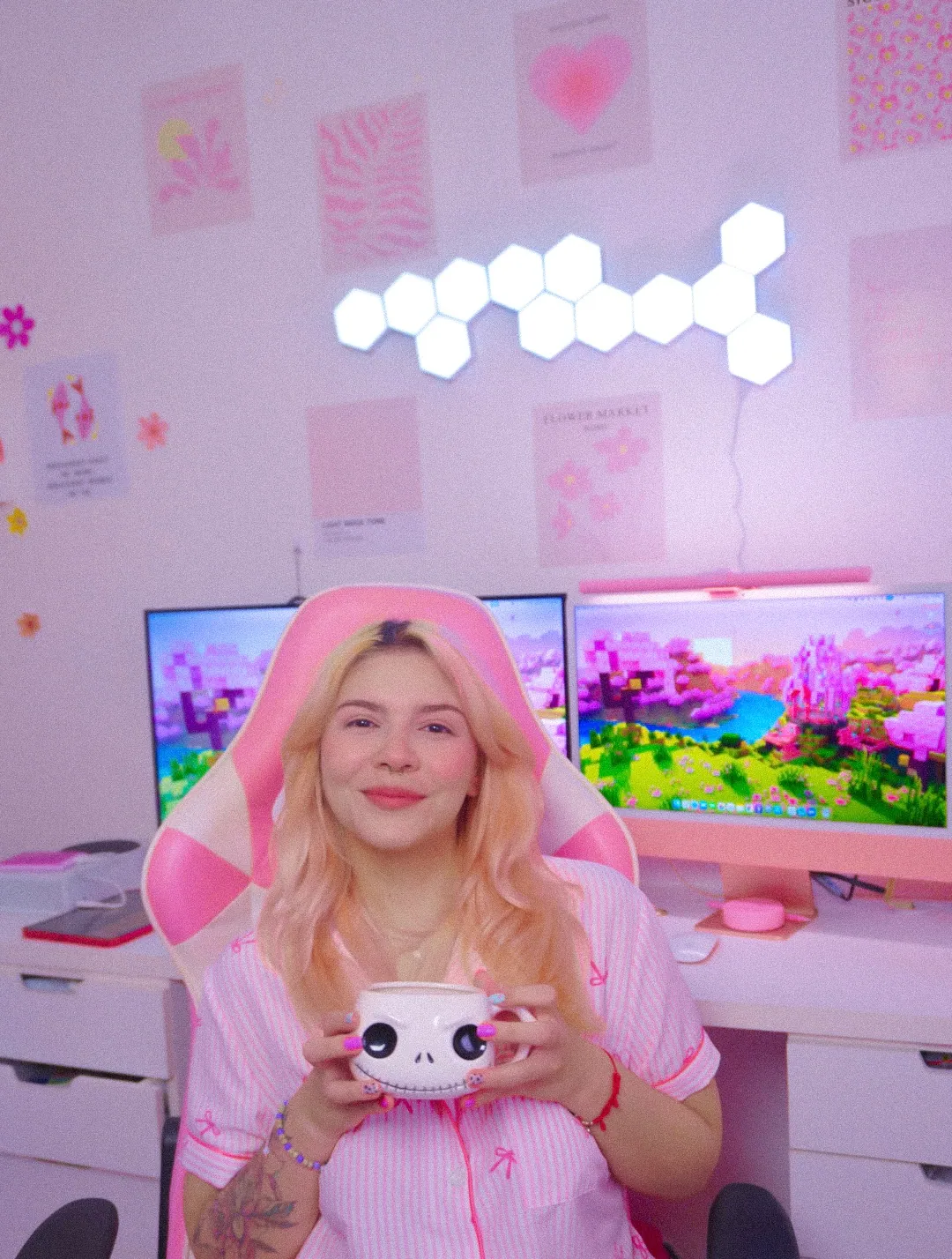
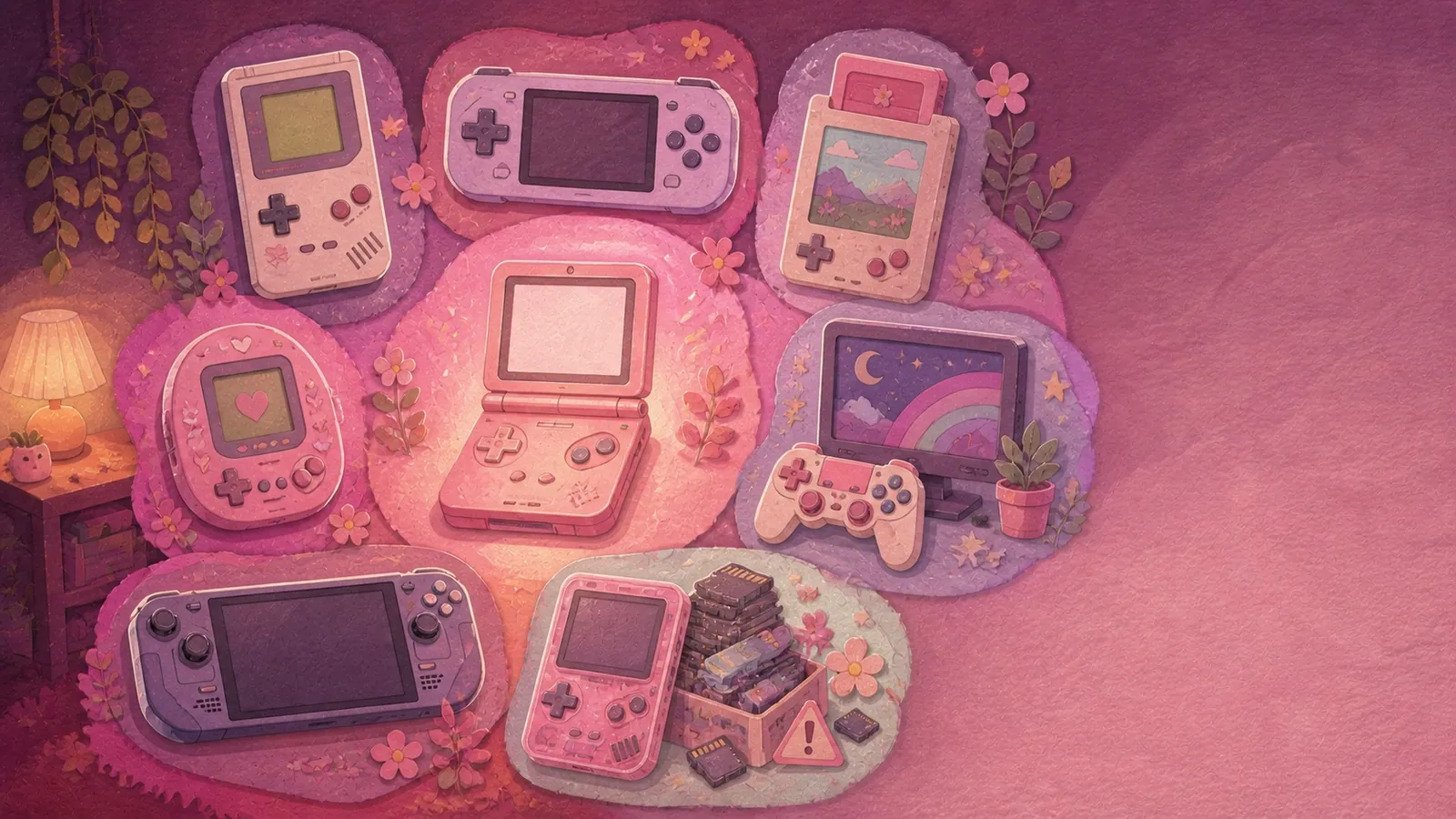
Seven genuinely different handheld types, where their games come from and the one Andrea reaches for most.

Read more →
30 August 202611 min
Illustrated pink gaming corner surrounded by lighting, desk, wall and organization ideas
SETUP IDEAS

34 Pink Gaming Setup Ideas, and 9 of Them Are Free

Thirty-four practical pink setup ideas grouped by lighting, desk and wall, including nine changes that cost nothing.

Read more →
30 August 202617 min
Illustrated cutaway of thirteen no-drill cable management methods under a small gaming desk
DESK AND GEAR

How to Hide Cables on a Small Gaming Desk, 13 Ways Without Drilling

Thirteen no-drill ways to hide cables, ordered from reversible fixes to the methods that need more care.

Read more →
28 August 202615 min
Illustrated pink gaming corner showing separate ambient, task and accent lighting layers at night
LIGHTING AND MORE

My Cozy Gaming Lighting Guide: The 3 Layers That Make a Setup Feel Magical

Andrea’s three-layer lighting formula, the Kelvin range she uses and where colored light does not belong.

Read more →
21 August 202613 min
Six illustrated stages showing a cluttered gaming desk becoming a cozy pink setup over one weekend
SETUP IDEAS

6 Tips to Make Any Gaming Setup Cozier in One Weekend

A practical Saturday-to-Sunday order for cables, lighting, the desk surface and the cozy finishing details.

Read more →
20 August 202615 min

There are no published articles in this category yet. The filter is ready for the next article.

HomeBlogCONSOLES & ACCESSORIES
CONSOLES & ACCESSORIES

7 Types of Handheld Retro Consoles, and the One I Love Most

Illustrated lineup of seven types of handheld retro consoles around a pearl-pink clamshell handheld

"Handheld retro console" gets used for seven genuinely different products, and they sit next to each other in the same Amazon search results looking almost identical.

Some arrive completely empty. Some take real cartridges. One of them isn't a handheld at all, and one is a trap I'd steer you away from.

I've had one on my desk for a while now and it took me an embarrassingly long time to work out what I'd actually bought, so here's the map I wish I'd had. The one I love most is at the end, and it isn't the one I'd tell you to start with.
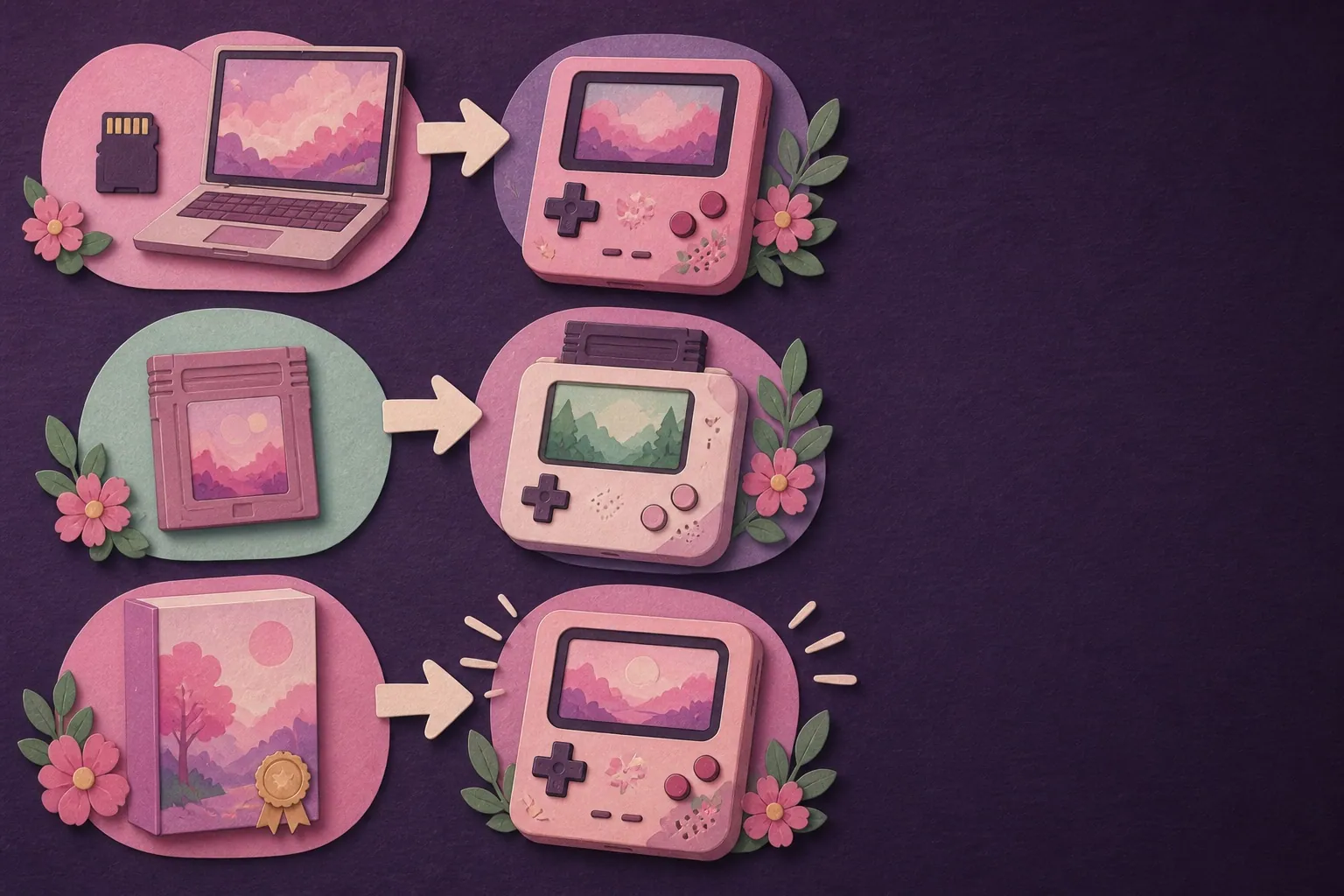
Illustrated map showing games reaching handheld consoles from memory cards, cartridges and licensed collections

The 7 types at a glance

#TypeWhere the games come fromSetupExample
1Simple clamshell handheldYou supply themA memory card and an afternoonANBERNIC RG SPHave a look
2Android emulation handheldYou supply themReal. It's a small tabletANBERNIC RG405VHave a look
3The "10,000 games" handheldAlready on it, dubiouslyNone, which is the problemCountless unbranded listingsThe one to skip
4Licensed cartridge handheldCartridges you buyNone at allEvercade EXP-RHave a look
5Cartridge-accurate handheldYour own original cartridgesSlot the cart inAnalogue PocketHave a look
6Official back catalogueNintendo, by subscriptionNoneNintendo Switch OnlineHave a look
7Handheld PCWherever you likeIt's a computerSteam DeckHave a look

Types 1, 2 and 3 emulate. Types 4 and 5 use physical cartridges. Types 6 and 7 aren't really in this category at all, and I've included them because plenty of people end up wanting one of those instead.

What counts as a handheld retro console

A handheld retro console is a portable device built to play games from older systems like the NES, SNES, Game Boy and PlayStation 1, either by emulating that old hardware in software or by taking physical cartridges.

That's the honest definition and it's wider than most people expect. The narrower version you'll see everywhere makes emulation the defining feature, which quietly excludes two of the seven types below even though they're sold in the same aisle.

The question worth asking isn't what one is. It's where the games come from, because that single answer decides how much setup you're signing up for, what it costs and whether you'll feel odd about any of it.

The three types that emulate

Emulation is software that makes a modern chip behave like an old console, so a game written for a machine from 1990 runs on hardware from 2026. The device brings the emulator. You bring the games.

1. The simple clamshell handheld

Where games come from: you supply them, on a memory card.

Setup: a card, some files, an afternoon.

These are small, cheap and usually Linux-based. They're built for 2D games instead of anything from the PlayStation era onward. Folding clamshells and little Game Boy shapes.

And there is finally a pink one. The ANBERNIC RG SP launched on 5 August 2026 in Pearl Pink, in a Game Boy Advance SP shape, with a 3.4 inch 720 by 480 screen. It weighs 5.9 oz and folds down to 3.3 by 3.2 by 0.9 inches, which genuinely fits a pocket.

It ships with no preloaded games, which after the legal section below I'd now call a feature!

There are no analog sticks, so it's for 2D and it isn't pretending otherwise. For a first handheld that's the right trade rather than a compromise.

If you'd rather watch somebody hold one, Retro Game Corps is the channel I'd send you to and this starter handheld video is a good place to begin. He covers this whole category properly and in far more depth than I do.

2. The Android emulation handheld

Where games come from: you supply them.

Setup: real. It's a small tablet with buttons.

Bigger, more powerful, more systems, more fiddling. These run Android, so they'll also do app store games, streaming and whatever else you throw at them.

Mine is the ANBERNIC RG405V.

SpecRG405V
Screen4 inch IPS, 640 by 480, 4:3
RAM4 GB
Battery5500 mAh, 9 hours claimed
Size5.7 by 4.1 by 1.4 inches
Weight10 oz
ColoursGrey, transparent purple, wood grain

The 4:3 screen is the whole point and it took me ages to understand why! Nearly everything made before about 2005 was built for a squarish screen, so on a widescreen handheld you get black bars down both sides. On this one the games just fill it... which sounds like a small thing and completely changes how a Game Boy game feels.

Two honest things. It's not pink and ANBERNIC has never made a pink one, which I know is where some of you will stop reading. And it's much bigger than you're expecting, so pockets are off the table.

Anything up to about PlayStation 1 is comfortable on hardware like this. PlayStation 2 is where budget handhelds fall over, mine very much included.

3. The "10,000 games included" handheld

Where games come from: already on it, and that's the issue.

Setup: none, which is exactly why it sells.

You'll see hundreds of these. Unbranded, cheap, promising a library in the thousands.

I'd skip them, and the legal question is only half of it. The libraries are mostly filler, plenty of the games simply don't load, the naming is chaos and the cheap memory cards they ship on rarely last long.

It's a type rather than a brand, which is why it's on the list. Once you can recognise it, the rest of the search results get much easier to read.

The two types where the games come with it

This is the half of the category nobody writes about for beginners, and it's the answer for a lot more people than you'd think.

4. The licensed cartridge handheld

Where games come from: cartridges you buy, officially licensed.

Setup: none at all.

The Evercade EXP-R takes physical cartridges of licensed collections, over 600 games across 60-odd cartridges, on a 4.3 inch screen. Evercade's own site lists which collections exist. The Super Pocket does the same thing in a smaller, cheaper body with games already on it.

Nothing to download, nothing to configure, nothing to feel funny about. As a gift this is the one, and it isn't close.

5. The cartridge-accurate handheld

Where games come from: your own original cartridges.

Setup: slot the cart in.

The Analogue Pocket doesn't emulate at all. It uses a chip that behaves almost identically to the original hardware, and it takes real Game Boy, Game Boy Color and Game Boy Advance cartridges, with adapters for Game Gear and a few others.

If you still have a box of your own cartridges somewhere, this is the type that turns them back into something you can play. It's also the most expensive thing on this list by a distance.
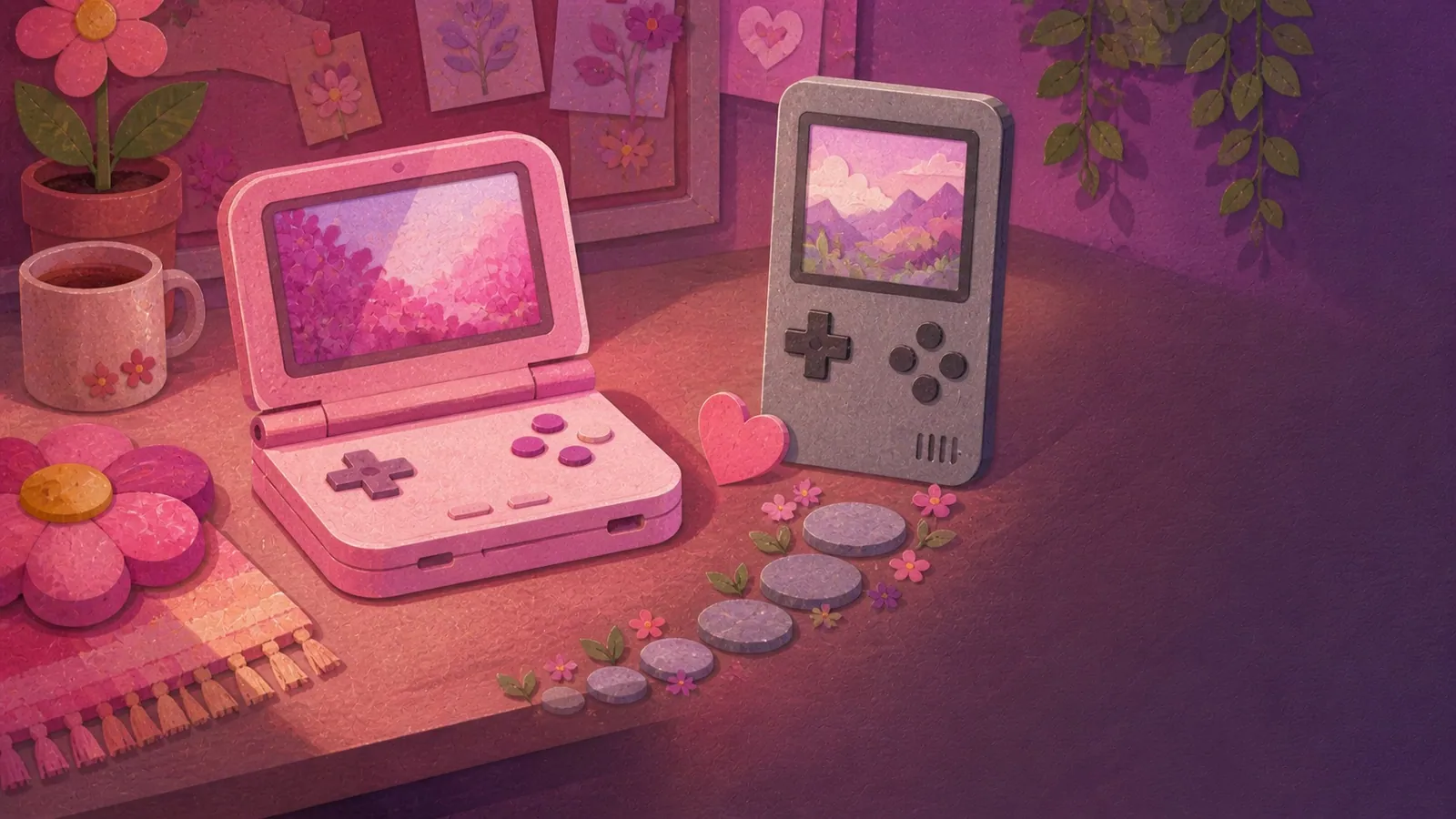
Illustrated comparison of a pearl-pink clamshell handheld and a grey vertical retro handheld

The two that aren't really handhelds at all

Both of these get bought instead of a retro handheld all the time, so they belong on the map.

6. The official back catalogue

Where games come from: Nintendo, legally, by subscription.

Setup: none.

Nintendo Switch Online puts NES, SNES and Game Boy libraries on the base tier. Nintendo's own page lists what's in each one. The Expansion Pack adds N64, Game Boy Advance and Genesis. Save states, rewind, all official.

If you already own a Switch, this is the cheapest way into retro games that exists and it needs no new hardware at all.

7. The handheld PC

Where games come from: anywhere. It's a computer.

Setup: it's a computer :)

A Steam Deck plays modern games, older games and everything in between. Completely different job, several times the money and much heavier in a bag.

Worth naming because "handheld gaming device" search results mix these in constantly, and the first time you see one you'll wonder why it costs five times as much.

I'm not a lawyer and this isn't legal advice, so here's what the actual sources say instead of what I reckon.

The devices are fine. Emulator software generally doesn't violate copyright as long as it's written without using the original console's own code. Even Nintendo's own patent attorney has publicly agreed emulators are technically legal.

The game files are the complicated part. Downloading them is copyright infringement in the US even for a game you already own on cartridge. That piece quotes several lawyers saying exactly that, including one from the Electronic Frontier Foundation who also notes it'd be "rare and approaching never" for anyone to go after an individual downloader.

Rare isn't the same as legal, and I'd rather say that plainly than pretend otherwise.

Making your own copy is the clean version. The US Copyright Office's position is that if you want a backup of software you lawfully own, you should back it up yourself. Doing that with cartridges needs a dumping device, so it's a project rather than a purchase.

Why so many people end up in the grey area anyway: the Video Game History Foundation found that 87 percent of classic games released in the US are critically endangered, meaning there's no legal way to buy them at all.

And this is exactly why types 4, 5 and 6 exist on this list. If any of that puts you off, they're real answers rather than consolation prizes.

Which type suits you

If you...The type
Want something cute and pocketable for 2D games1
Want lots of systems and don't mind tinkering2
Want to hand it to somebody as a gift4
Still own a box of Game Boy cartridges5
Already own a Switch6
Want modern games too7
Saw a listing promising thousands of gamesKeep scrolling

The one I love most, and the one I'd start you on

The one I love is type 2, and it's the ANBERNIC RG405V sitting on my desk. It's the thing I reach for when I want to play something without sitting at a screen, and that 4:3 panel does something to old games that I genuinely didn't expect from a spec sheet.

Mine came with a 128 GB card in the box, a 4 inch touchscreen at 640 by 480, 4 GB of RAM and a 5500 mAh battery, running Android 12. And yes, I'd buy it again today, which is about the highest thing I can say for a piece of hardware that has lived on a desk this long.

The ANBERNIC range, and which one I'd point you at

ANBERNIC makes a lot of these and the model names are almost deliberately confusing, so here's the short version of the four worth knowing about.

ModelScreenShapeWhat it's for
RG405V4 in IPS, 4:3Slab, AndroidMine. The most capable of the four and the most setup
RG SP3.4 in, 720 by 480Clamshell, LinuxThe gentlest way in. The only pink one
RG35XX H3.5 in IPSSlab with dual sticks, LinuxHorizontal, better for anything needing analog
RG34XXSP3.4 in IPS, 720 by 480Clamshell, LinuxThe Game Boy Advance SP shape, if that's the nostalgia you're after

A word on the pink, because I know that's why some of you are here. The RG SP is the only ANBERNIC on Amazon in the US that comes in pink. Not the RG35XX, not the RG34XX, not the RG40XX. If you want a pink handheld from this brand, that's the one, and it folds shut which is half its charm.

The one I'd start you on is type 1. A little clamshell that folds shut, weighs almost nothing, runs 2D games perfectly and comes in pink is a much gentler way in than a big Android device with a fan in it. It's cheaper, it's smaller and there's far less that can go wrong on day one.

Those being different answers isn't a contradiction. Mine is the one I grew into. Yours doesn't have to start there!

And if the game-sourcing side of all this puts you off, type 4 is a completely respectable place to land. Cartridges, no setup, nothing to think about. I'd never talk anybody out of it.

One last practical thing whichever way you go: budget for a decent memory card. The bundled ones are the weak link across this entire category, so a first purchase is really two purchases.

Handheld retro console FAQ, the questions I get asked most

What is a handheld retro console?

A portable device built to play games from older consoles, either by emulating them in software or by taking physical cartridges. There are seven distinct types and the difference that matters is where the games come from.

Do handheld retro consoles come with games?

Most emulation handhelds don't, by design. Licensed cartridge handhelds and Nintendo's subscription libraries do. The ones advertising thousands of preloaded games are worth avoiding.

Are handheld retro consoles legal?

The devices are. Emulator software generally doesn't infringe copyright. Downloading game files is a separate question and the honest answer is that it's infringement in the US even for a game you own physically.

Is there a pink handheld retro console?

Yes, as of August 2026. The ANBERNIC RG SP comes in Pearl Pink and it's a clamshell that ships with no games on it.

What can a cheap retro handheld actually run?

Comfortably up to about PlayStation 1, which covers NES, SNES, Game Boy, Game Boy Advance, Genesis and a lot more. PlayStation 2 is where budget hardware struggles.

Which type is best for a complete beginner?

A simple clamshell if you're happy to load a memory card, or a licensed cartridge handheld if you'd rather not. Both are far gentler starts than an Android device.

Is a handheld retro console better than a Nintendo Switch?

Different job. A Switch plays Switch games and has an official retro library on subscription. An emulation handheld plays around 20 older systems on a screen shaped for them. I use both, for completely different things.

Do I need to buy a memory card too?

Almost certainly. The bundled cards are the weak link on nearly every model, so budget for a good one alongside the device.

🌸🎮

come say hi

Get into the pink desk list

One email when something new goes up, plus the finds that never made it into a post.