The 9 Best Pink Headphone Stands, and Why a Desk Needs One!


I searched "best pink headphone stand" expecting to find a guide and found nothing. Not a bad guide. Nothing at all! Nine Amazon listings, two Etsy category pages, a Pinterest board and a Walmart page.
So here's the guide. Nine stands ranked, the specs the listings leave out and the one thing every single one of them is sold on that nobody has ever actually tested.
Fair warning on that last one, because it's going to save you money if you were buying for the wrong reason.

The 9 pink headphone stands at a glance
| # | Stand | Best for | The one thing that matters | Have a look |
|---|---|---|---|---|
| 1 | VCOM RGB Gaming Headphones Stand | A pink desk, overall | 2.2 in hook, 1 lb base, charge-only ports | Have a look |
| 2 | Tilted Nation Cute Headphone Stand | Real USB data ports | 2 × USB 3.0, mouse bungee, 0.85 lb | Have a look |
| 3 | Razer Base Station V2 Chroma, Quartz Pink | Build quality | Aluminium, 11 in, PC software required | Have a look |
| 4 | PHNIXGAM RGB Headphone Stand | A wireless dongle | 3 × USB 2.0 plus a 3.5 mm AUX | Have a look |
| 5 | KELJUN Controller Holder, Pink | Anyone with consoles | Three tiers, controllers as well | Have a look |
| 6 | Rotating clamp-on under-desk stand | A genuinely small desk | Takes zero desk surface | Have a look |
| 7 | Bumtosc Pink Bow Headphone Stand | Looking the nicest | Aluminium and wood, no cables | Have a look |
| 8 | Cloud Headphone Stand, Pastel Pink | The cheapest way in | Listed under Toys, so treat it as light duty | Have a look |
| 9 | SOMIC Pink Headphone Stand | Plain and solid | Flexible hanger, fits wide headbands | Have a look |
The 9 best pink headphone stands
1. VCOM RGB Gaming Headphones Stand, Pink
Best for: a pink desk, and it's the one on mine.
The VCOM is 11 inches tall on a footprint of roughly 4.3 inches square. It weighs about a pound. That weight is the reason it's first. It's the heaviest stand here by a distance and a heavy base is the whole difference between a stand and a thing that falls over when you reach past it.
The body is ABS plastic. The pink is the product colour rather than the light, and the RGB is a separate effect on top.
Two honest things about the USB ports. They are charge only, rated 5V and 1A, which is 5 watts. They'll trickle charge a controller, a wireless mouse or a phone slowly. They will not fast charge anything modern and they will not run a device that needs data.
And the light modes are a lovely little mystery. Every Amazon listing says 10 light modes. VCOM's own spec sheet says "3 modes and 7 colors". Three plus seven is ten. Nobody has ever published that reconciliation and I've been staring at mine for months without working it out :)
Worth knowing before you order: the US and Canadian listings for the same ASIN describe different ports, one saying two USB and the other saying two USB plus a Type-C. Check the listing you're actually on.
2. Tilted Nation Cute Headphone Stand, Pink
Best for: anybody who wants the USB ports to do something.
The Tilted Nation is the strongest direct rival here and the only pink stand with a proper brand behind it. Its two USB 3.0 ports are data capable, which none of the cheap towers manage, and it has a built-in mouse bungee, which is the little flexible arm that holds your mouse cable off the desk.
It's 10 inches tall, 5 by 5 inches at the base and it weighs 0.85 lb, which is 386 g. Eleven RGB modes on a touch sensor, so no app.
One thing to think about. Those USB 3.0 ports are excellent for a drive and the wrong place for a 2.4 GHz wireless dongle. There's a whole section on that below and it's the most useful thing in this article.
It's also stocked at Best Buy and Walmart, which matters if you're buying this as a gift for somebody who doesn't order from Amazon. There's a lot more on gift-proofing a pick like this in the cozy gaming gift guide.
3. Razer Base Station V2 Chroma, Quartz Pink
Best for: the person who wants the nicest object.
The Razer Base Station V2 is high grade aluminium alloy, 11 inches tall, with a hexagon pattern anti-slip rubber underside. Quartz Pink is still one of three colours Razer lists on its own page. Two USB 3.1 ports, Chroma RGB and a 3.5 mm combo port with a built-in DAC that gives you 7.1 surround.
It's the best made thing on this list and it comes with the longest list of conditions.
| Check | The answer |
|---|---|
| Headband width it takes | Up to 2 inches (50 mm), the narrow end of this category |
| Runs from a wall charger | No |
| Works on PS5 or Xbox | No, the lighting and audio need a PC |
| Needs software | Yes, Razer Synapse, plus product registration for the surround |
| Cable routing under the base | None |
That 2 inch figure is the one to take seriously. A thickly padded gaming headband can be wider than that, and Razer publishes the number where most brands publish nothing, so at least you can check.
4. PHNIXGAM RGB Headphone Stand, Pink
Best for: a wireless headset with a dongle.
This is the one I'd point you at if your headset is wireless, and the reason is buried in the specs. The PHNIXGAM has a three port USB 2.0 hub plus a 3.5 mm AUX passthrough.
USB 2.0 sounds like the worse spec and for a dongle it's the better one. See the section below.
5. KELJUN Controller Holder, Pink
Best for: anybody who games on a console as well.
The KELJUN is three adjustable tiers that hold controllers as well as a headset, and it's universal across Xbox, PS4, PS5 and Switch.
No RGB, no USB, no lights. What it does instead is get two controllers and a headset off the desk at once... which for a lot of setups is the actual problem. If you own consoles this is probably the right answer and it isn't close.
6. Rotating clamp-on under-desk stand, Pink
Best for: a desk where surface is the constraint.
Every tower stand on this list permanently occupies about four inches square of desk. A clamp-on stand clamps to the desk edge and hangs the headset underneath, so it takes none.
It swivels 360 degrees and it's the only pink one of these I could find. If your desk is under about 40 inches wide, start here rather than with a tower. I've written the rest of the small desk fixes in the cable guide, and this is on the same list of things that give you surface back.
7. Bumtosc Pink Bow Headphone Stand
Best for: the desk where nothing is allowed to have a cable.
Aluminium alloy and wood with a bow on top, an anti-slip base, no electronics of any kind. The Bumtosc is the nicest looking stand here and it's also the honest choice if you were only ever going to use the RGB for a week.
Metal and wood also solve a problem plastic doesn't, which is that they photograph as a material instead of as an object ♡
8. Cloud Headphone Stand, Pastel Pink
Best for: the cheapest way to get your headset off the desk.
A cloud shaped desktop hanger in pastel pink. It's adorable and it's the lowest commitment thing here... which for a lot of people is exactly the right amount of commitment.
One flag worth knowing: it's listed under Toys and Games rather than under electronics accessories, which suggests it's built light. Fine for a lightweight headset, and I'd think harder about it under a heavy one.
9. SOMIC Pink Headphone Stand
Best for: a wide padded headband.
The SOMIC is a solid base with a flexible hanger, which is the design that handles wide headbands most forgivingly because the arm gives instead of the headband.
No lights, no ports, nothing to plug in. It's the plain one and there's nothing wrong with that.
Why a desk needs one, and the claim I'd ignore
A headphone stand gets you back the patch of desk your headset was living on. That's the reason. It isn't a protection device and I'd rather tell you that than sell you one.
Here's what I found when I went looking for evidence behind the "protects your headset" line that's on nearly every listing.
No manufacturer publishes storage guidance that supports it. Sweetwater's headphone care guide, from a mainstream industry retailer, recommends a carrying case and says nothing about stands, hooks or headband tension at all.
There's one statistic circulating and I couldn't verify it. A blog in this space quotes a 2023 survey attributing a chunk of headphone failures to bad storage. There's no link, no citation and no locatable survey. I'm not repeating the number, and if you see it in another article, that tells you something about the article.
The people who actually own stands are refreshingly blunt. The Linus Tech Tips thread titled "do I need a headphone stand" answers itself in the first reply: "No? It's pure for looks." and further down, "it's not particularly safer, it just looks better."
And the headband stretching fear is backwards. In a What Hi-Fi thread about headphones clamping too tightly, the advice was to deliberately stretch the headband over something oversized for weeks. The person who tried it reported it barely worked. If months on an oversized form barely loosens a headband, a normal stand hook narrower than your own head isn't doing anything to it.
There is one real risk and it isn't the one you'd guess. Headphonesty's guide is the only editorial source with specifics, and the concern is the arch, not the hanging. A hardwood stand with a coarse finish or a metal stand with sharp edges can mark or puncture ear pads. What you want is a curved edge and a smooth finish. The MacRumors thread on the same question lands in the same place, where the one thing owners actually reported was pressure on the ear pad mesh over time.
So: buy one because your desk is nicer without a headset lying on it, and because it looks lovely lit up at night. Both of those are true. The protection thing isn't.
The three things to check before you buy
Hook width, which almost nobody publishes
Published maximum headband widths across the whole category run from about 2 inches to 4.7 inches, or 50 mm to 120 mm if you're cross-checking a spec sheet. That's more than a doubling, and it decides whether your headset sits properly or perches.
The Razer is the only stand here that publishes a figure, and it's 2 inches, at the narrow end.
So I went and measured mine. The hook on my VCOM is 2.2 inches across at its widest, which is 55 mm. I couldn't find that number published anywhere, for this stand or for any other pink one, so as far as I know you're reading it here first.
Which also means my cheap plastic stand takes a wider headband than the most expensive stand on this page. I did not expect that, and it's worth knowing if your headset has a chunky padded band.
Every other stand here publishes nothing at all. If yours is on the thick side, the flexible-hanger design at 9 and the three-tier at 5 are the shapes that forgive most.
Base weight, and the rule that actually works
The one quantified rule published anywhere in this category is Headphonesty's: don't put headphones on a stand if they weigh more than half what the stand weighs.
Against that, the VCOM at about a pound and the Tilted Nation at 0.85 lb both clear any normal consumer headset comfortably. The lighter and cheaper the tower, the more this matters. A top-heavy stand with a light base is the single most common complaint across the whole category.
What the USB ports actually do, and where not to plug your dongle
This is the bit I'd most like you to take away, because it's real and it's counterintuitive.
Intel published a white paper, hosted by the USB standards body, measuring the electrical noise that USB 3.0 produces. USB 3.0 signalling generates broadband noise in the 2.4 to 2.5 GHz band, which is exactly the band your wireless headset dongle, your wireless mouse and your Bluetooth all use.
The measured numbers are not small. An external USB 3.0 drive raised the noise floor in the 2.4 GHz band by nearly 20 dB. A laptop's own USB 3.0 socket raised it by about 25 dB. A wireless mouse three feet away showed lagging response.
So if your stand has a USB 3.0 hub, don't put your 2.4 GHz dongle in it. That applies to the Tilted Nation and the Razer. Put a drive or a charging cable in those ports and give the dongle a socket somewhere else.
And the thing that makes me laugh a bit: this makes my VCOM's cheap old USB 2.0 ports the right ports for a dongle, purely by accident.
One more, which applies to all of them. Every stand here is pass-through powered, not independently powered. It draws from your PC. Turn the PC off and the RGB goes off with it. There's no version of these where the lights stay on overnight.
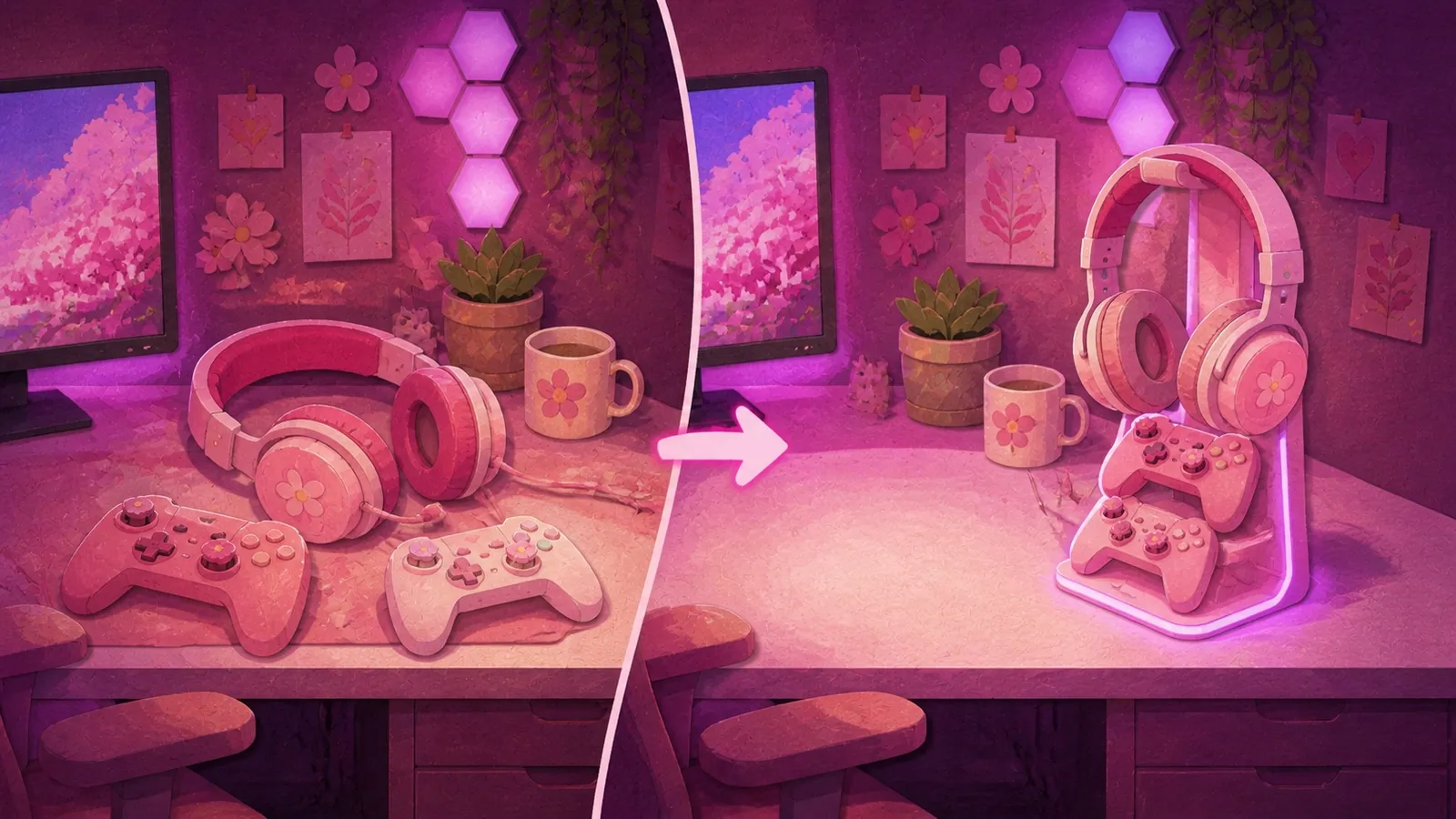
Is there a Hello Kitty or Sanrio headphone stand?
No. Not a licensed one, and I went looking properly.
Searching for one returns Sanrio phone stands, Etsy listings, free 3D print files and unlicensed acrylic LED signs. There's no official Sanrio headphone stand on Amazon.
The closest real answers are the bow stand at number 7 and the cloud stand at number 8, both of which sit in the same visual world without pretending to be something they aren't.
Who I'd tell not to buy one
If you're buying it to protect your headset, don't. Read the section above and then decide whether you still want one for the desk space, which is a completely fine reason.
If your desk is genuinely small, a tower is the wrong shape. The clamp-on at number 6 takes zero surface and a wall hook takes less than that.
If you want the lights on while the PC is off, none of these do that. They all draw power from the computer.
If you're buying it for the USB hub specifically, check what the ports actually are before you order. On the VCOM they're charge only at 5 watts, which the Amazon title does not say and the manufacturer spec sheet does.
If your headset has a very wide padded headband and you had your eye on the Razer, check that 2 inch figure against a ruler first.
Which one I'd get
I'd buy the VCOM again, and I say that knowing its ports are the least useful ports here. The base weight and that wide hook are why. It's been shoved, leaned on and reached past for months and it has never once gone over. A stand that falls down is not a stand!
If I were buying today with no stand at all and a wireless headset, I'd look hard at the PHNIXGAM at number 4, because USB 2.0 ports plus an AUX passthrough is quietly the most useful port combination on this page.
And if the RGB doesn't matter to you, buy the bow one and spend the difference on your lighting, which changes more. That's the advice I'd give a friend and it's slightly against my own interests, so you know I mean it!
Pink headphone stand FAQ, the questions I get asked most
Are headphone stands worth it?
For a tidy desk, yes. For protecting your headset, no. There's no published evidence for the protection claim from any manufacturer or any test. Buy one because you want your desk back.
Will a headphone stand stretch my headband?
No. A stand hook is narrower than your head, so it applies less tension than wearing them does. The real risk is a coarse or sharp arch marking the ear pads, which is a finish question rather than a hanging one.
Do headphone stands charge your headphones?
Some have USB ports that will, slowly. The VCOM's ports are 5V and 1A, which is 5 watts, so it'll trickle charge a headset or a controller. It won't fast charge a phone.
Can I plug my wireless headset dongle into the stand's USB port?
Not if the port is USB 3.0. Intel measured USB 3.0 raising the noise floor in the 2.4 GHz band by 20 to 25 dB, which is the band the dongle uses. USB 2.0 ports are fine and are the better choice for a dongle.
Do the RGB lights work without a PC?
No. Every stand in this guide is pass-through powered from the computer, so the lights go off when the PC does.
Is there a Hello Kitty headphone stand?
Not an official one. Searches return phone stands, Etsy items and 3D print files. A bow stand or a cloud stand is the closest real product.
What size headband will fit a headphone stand?
Published maximums run from about 2 inches to 4.7 inches across the category, and most brands publish nothing at all. The Razer Base Station V2 takes up to 2 inches, which is the narrow end. I measured my own VCOM at 2.2 inches, which is wider than the Razer and is not a figure anybody else publishes.
Are pink headphone stands the same pink as other pink gear?
Almost certainly not, and no listing photo will tell you. Pink gear from different sellers arrives in different shades more often than it matches, which is why I ended up writing a whole section on shade matching in the setup ideas post.