The 9 Best Pink Mechanical Keyboards Under 100, Split by What's Actually Pink

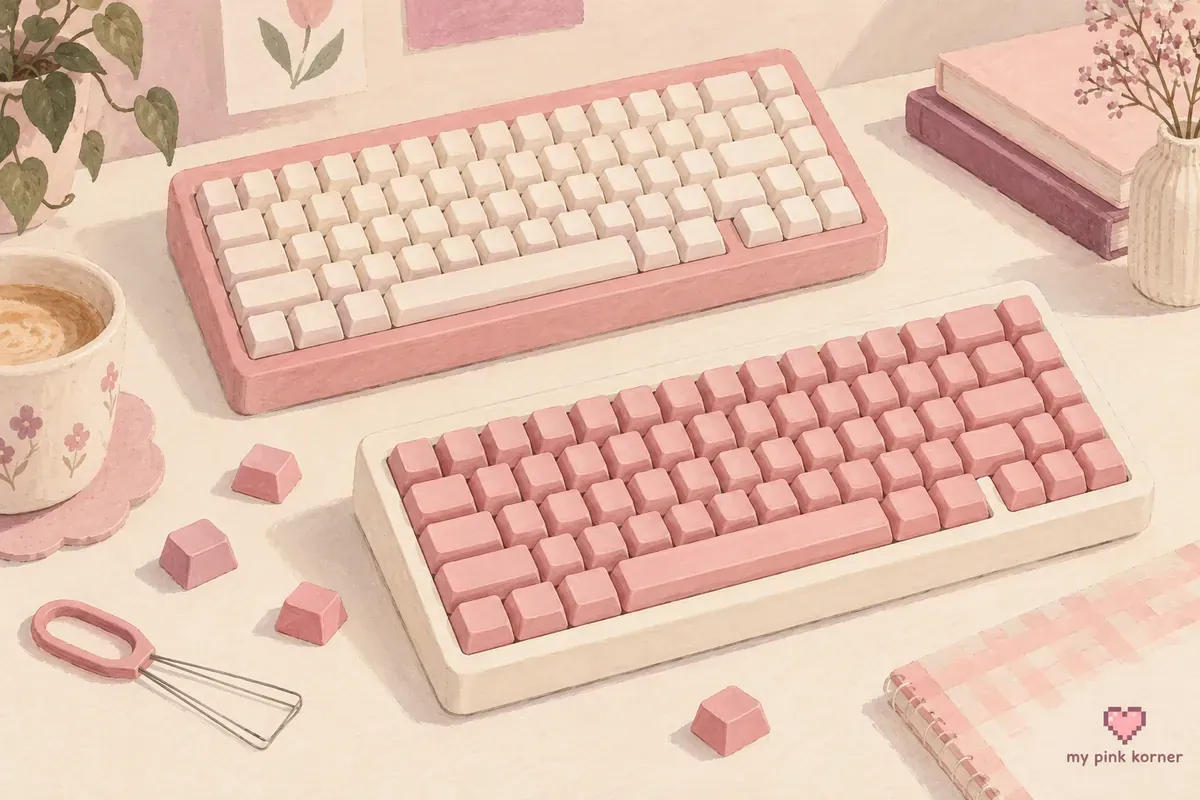
Half the keyboards sold as pink have a white case with pink keycaps on it. The listing title says pink, the photos are shot to flatter and the thing that arrives is a white keyboard.
Nobody separates those two groups, so that's how this list is organised. Pink case in one group, pink keycaps on a white or black case in the other and I'll say which every time.
I don't own any of these, so nothing below is me telling you how one feels to type on. What I can give you is the specification that decides it, which is more than any page currently ranking on this search bothers with!
🎀 A closer look from the corner
Watch this post on Instagram ↗
The 9 pink mechanical keyboards at a glance
| # | Keyboard | Case | Layout | Connection | |
|---|---|---|---|---|---|
| 1 | Womier WK68 | Pink | 65%, 68 keys | Wired USB-C | Have a look |
| 2 | Womier SK80 Foundation | Pink | 75% | Wired USB-C | Have a look |
| 3 | Womier VK66 PRO Jelly | Pink, translucent | 60%, 66 keys | Wired, QMK/VIA | Have a look |
| 4 | EPOMAKER GK68X | Pink and white | 65%, 68 keys | Wired | Have a look |
| 5 | EPOMAKER GK68XS | Pink and white | 65%, 68 keys | Bluetooth and wired | Have a look |
| 6 | Redragon K617 Fizz | Check the photos | 60%, 61 keys | Wired USB-C | Have a look |
| 7 | DAREU EK75PRO Sakura Pink | White, pink accents | 75% plus knob | Tri-mode | Have a look |
| 8 | AULA F75 | Pink variant | 75% | Tri-mode | Have a look |
| 9 | EPOMAKER 3084B Plus | Black and pink | 75%, 84 keys | Tri-mode | Have a look |
The ones with a genuinely pink case
If you want a keyboard that's pink when it's switched off, this is the group.
1. Womier WK68
Best for: a genuinely pink 65 percent board with no compromises about what colour the case is.
In one line: 68 keys, a pink case, Outemu White linear switches and XDA profile keycaps, wired over USB-C.
XDA is worth knowing about because it changes your options later. It's a uniform height profile, meaning every row is the same height, where most keycap sets are sculpted with different heights per row. If you ever swap the caps, a sculpted set on this board will look and feel wrong. That's a real constraint and no competing page mentions it.
2. Womier SK80 Foundation
Best for: somebody who wants 75 percent, which is the size I'd recommend to most people starting out.
In one line: a pink case, pre-lubed POM linear switches, translucent jelly keycaps and a small colour screen.
Seventy-five percent keeps the function row and the arrow keys, which is the layout most people discover they wanted after buying a 60 percent.
3. Womier VK66 PRO Jelly Pink
Best for: the translucent look, and for anyone who wants to program the board properly.
In one line: 66 keys, gasket mounted, translucent jelly keycaps and QMK and VIA support so the layout is fully remappable.
QMK and VIA are the open standards for keyboard firmware. On a first mechanical board that sounds like overkill, and then you remap caps lock once and never go back.
4. EPOMAKER GK68X, and 5. GK68XS
Best for: the only boards on this list with dye-sublimated PBT keycaps as standard.
In one line: 68 keys in Pink White, Gateron switches, hot-swappable, with dye-sub PBT caps in GSA profile. The XS adds Bluetooth 5.1 to the same board.
Gateron is the notable part. These are the only two boards here running switches from a recognised name rather than a house brand, and PBT keycaps as standard at this price is genuinely unusual.
The catch is the split spacebar. The GK68X bottom row splits the spacebar into segments, which means a standard replacement keycap set with one 6.25u spacebar won't populate it. Lovely board, hardest one here to re-cap.
The ones that are pink keycaps on a white or black case
These are all good keyboards. They're just not pink keyboards, whatever the listing says.
6. Redragon K617 Fizz
Best for: the cheapest way in, and the easiest board on this list to change keycaps on later.
In one line: 61 keys, standard 60 percent layout, Outemu Red linear switches, hot-swappable, wired USB-C.
And here's the thing worth knowing before you order it. Redragon's own store describes this as a white case with mixed white and pink keycaps. At least one major retailer describes the same SKU as having a pink case. Two sellers, same product, two different answers about what colour it's.
I can't resolve that for you from here and I'm not going to pretend otherwise. Look at the photos on the specific listing you're buying from, and if the seller's photos are ambiguous, assume white.
What's not ambiguous is that at 61 keys in a standard 60 percent layout, this is the easiest board here to put a different set of keycaps on. If the case turns out white and you wanted pink, a 142 key pink PBT set fixes the keycap half for a fraction of the board's price.
7. DAREU EK75PRO Sakura Pink
Best for: tri-mode wireless with genuinely good keycaps.
In one line: 75 percent with a volume knob, DAREU linear switches, hot-swappable on both 3 and 5 pin and double-shot PBT keycaps with side printed legends.
The case is white. The product is named for a pink and the images show white with pink accents. Side-printed legends means the letters are on the front face of the key rather than the top, which looks clean and is unhelpful if you don't touch type.
8. AULA F75
Best for: the most common shape at this price, with PBT caps and tri-mode wireless.
In one line: 75 percent, around 80 keys, pre-lubed linear switches, hot-swappable, PBT keycaps, connects over 2.4 GHz, Bluetooth or cable.
There are several versions of this board under different sellers. The AULA F75 Pro is explicitly two-tone pink and black, and the EPOMAKER version offers pink and gradient pink colourways with double-shot Cherry profile PBT.
9. EPOMAKER 3084B Plus
Best for: somebody who actively wants the two-tone look rather than tolerating it.
In one line: 84 keys, black and pink, Akko switches, double-shot PBT, wireless and wired.
Black and pink is the honest version of what a lot of these boards are, and it looks deliberate rather than compromised.
One to be careful with. The LEOBOG Hi75 turns up in pink searches and is a barebones kit: an aluminium case and a PCB with no switches and no keycaps in the box. It's a lovely thing and it's not a keyboard until you have spent more money.
Every one of these ships linear switches
Not one board on this list ships with tactile or clicky switches as standard, and nobody says so.
Here's what the three types actually mean, using CHERRY's own descriptions and figures:
| Type | What it feels like | Example |
|---|---|---|
| Linear | Smooth all the way down, no bump. CHERRY: linear switches lack feedback | MX Red, 45 cN, 2 mm travel |
| Tactile | A noticeable bump partway down. CHERRY: you notice when you press the button | MX Brown, 55 cN, 2 mm travel |
| Clicky | A bump and an audible click | MX Blue, 60 cN, 2.2 mm travel |
Linear is the default in gaming keyboards because there's nothing to push past on a fast repeated press. Plenty of people prefer tactile for typing and find linear vague.
This is exactly why hot-swappable matters on this list. If you buy one of these and discover you wanted tactile, a hot-swap board means buying a set of switches and pulling the old ones out. A soldered board means it's the wrong keyboard.
And one correction to most of the internet: no pink board under 100 dollars uses Cherry switches. Every list that says otherwise is citing the Razer BlackWidow V3 Quartz or the ASUS ROG Strix Flare Pnk, and both are discontinued and both were over 100 dollars anyway.
What hot-swappable actually means, and why you want it
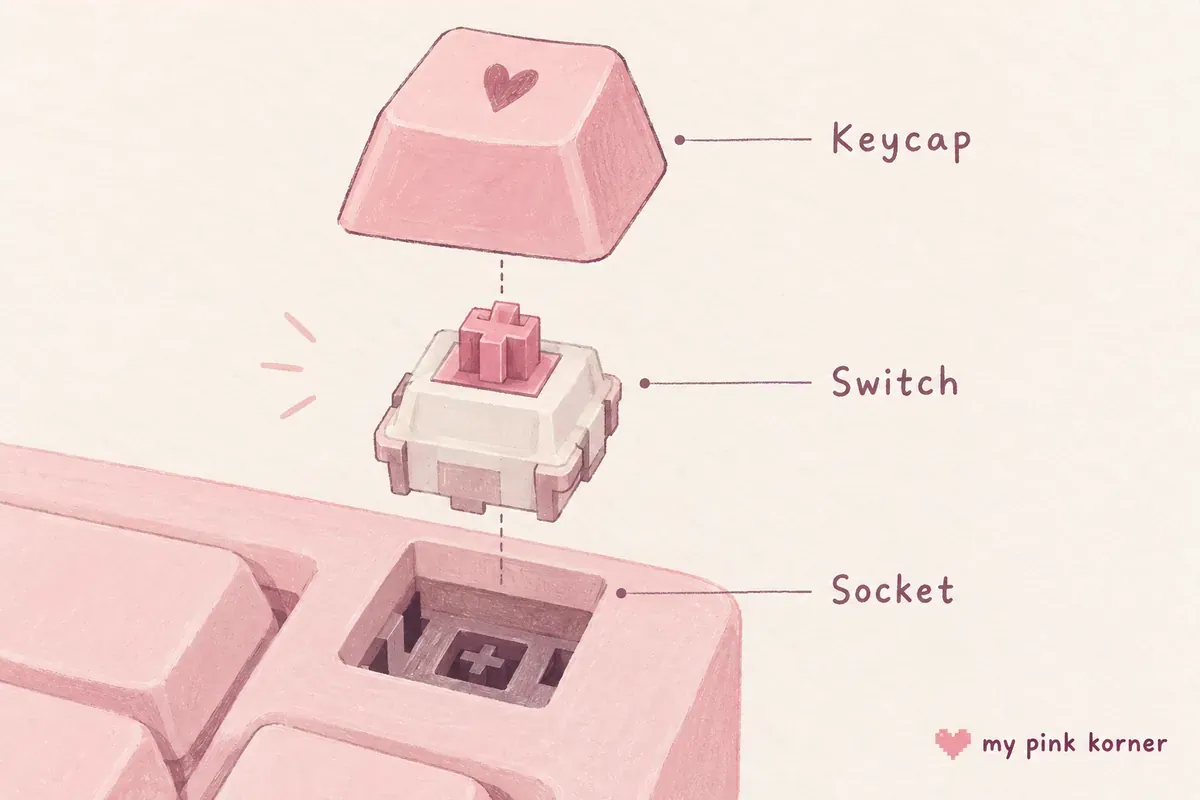
A hot-swappable keyboard has sockets on the circuit board instead of soldered switches. Switches pull out with a cheap puller and push back in.
The marketing frames this as customisation. The better argument is repair. Switches fail. On a soldered board one dead switch means a soldering iron and desoldering braid on a circuit board you can't replace. On a hot-swap board it's thirty seconds and a spare switch.
Every board on this list is hot-swappable, which tells you how standard it has become at this price. Check the pin count if you plan to experiment: 5 pin sockets accept both 3 and 5 pin switches, 3 pin sockets need the extra legs clipped.
Why pink ABS keycaps turn peach
This is the one material fact that matters more on pink than on any other colour.
Keycaps are made from ABS or PBT. ABS stands for Acrylonitrile Butadiene Styrene, and the butadiene phase in it contains reactive double bonds that oxidise under light and oxygen, forming compounds that read as yellow. This is inherent to the polymer rather than a manufacturing defect.
Now apply that to colour. Yellow laid over pale pink gives you peach, then salmon, then a slightly dirty beige. On a black keycap the same degree of yellowing is invisible. On pale pink it's the whole problem, which makes pink close to the worst-case colour for ABS.
Corsair's own explainer is blunt about the comparison: PBT is far more resistant to degradation from UV light, and UV is the main cause of vibrant keycaps losing colour. Corsair also notes the shiny-smooth wear pattern that gives ABS away.
A fair counterpoint, because the internet treats this as more settled than it's: not everyone scores PBT as the overall winner, and some argue the two materials trade blows and it comes down to preference. That's reasonable on the general question. On pink specifically, the colour argument is one-sided.
So: PBT if you can. The GK68X, GK68XS, DAREU and AULA boards here all ship PBT. If yours doesn't, a PBT replacement set solves it, subject to the next section.
The keycap trap on 60 and 65 percent boards
The prettiest pink cases on this list are the hardest ones to put new keycaps on, and that's a genuinely annoying irony.
Keycaps are sized in units, where 1u is one letter key. The problem is the bottom row and the right hand cluster, because compact layouts change those to fit.
Sixty-five and 75 percent boards frequently need a 1.75u right shift, and a standard keycap set doesn't contain one. Boards with a split spacebar need segments that no standard set includes. And a uniform profile like XDA won't match a sculpted set.
Applied to this list:
| Board | Re-capping difficulty |
|---|---|
| Redragon K617, 61 keys, standard 60% | Easiest. Standard bottom row |
| Womier SK80, AULA F75, DAREU, 75% | Moderate. Check the right shift size |
| Womier WK68, 68 keys, XDA profile | Harder. Uniform profile limits sets |
| EPOMAKER GK68X, split spacebar | Hardest. No standard set fits |
The practical rule: if changing the keycaps later is part of your plan, buy the 61 key board. If you're happy with what arrives, buy the one with the case you like.
Which one I'd get
The Womier SK80 if I wanted a genuinely pink case, and the Redragon K617 Fizz if I wanted the cheapest sensible way in.
Seventy-five percent is the layout I'd point most people at: it keeps the function row and the arrow keys, which are the two things people miss immediately after buying a 60 percent and discovering that arrows are now a key combination.
What I'd not do is buy a board sold as pink without opening the photos first, and I'd not buy ABS keycaps in a pale pink at all.
I don't own any of these and I'm not going to tell you which one sounds nicest. What I can tell you is that the specification above is the part that decides whether you're still happy in a year, and it's the part nobody publishes.
If the keyboard is a present, pink gaming gifts under 25 is where a keycap set sits and gaming gifts under 50 is the band below a whole board. A new keyboard also adds a cable, which the no-drill cable guide deals with.
For the rest of it: 34 pink gaming setup ideas has the keycap swap as one of its cheapest ideas, my own desk is where mine ended up and everything I own is on my faves. There's more about me on my about page. If you're buying this as a gift, the price band guide puts a keyboard in context against everything else.
Pink mechanical keyboard FAQ, the questions I get asked most
What's the best pink mechanical keyboard under 100 dollars?
The Womier SK80 if you want a genuinely pink case in a 75 percent layout, or the Redragon K617 Fizz as the cheapest way in. Check the photos on the K617 listing, because sellers describe its case colour differently.
Are pink keyboards actually pink?
Often not. Several boards sold as pink have white or black cases with pink keycaps. Look at the case in the product photos rather than trusting the title, and be suspicious of any colourway named after a flower.
What switches do pink keyboards come with?
Linear, almost without exception under 100 dollars. Linear switches are smooth with no bump. If you want tactile you'll be buying switches separately, which is why hot-swappable matters on this list.
What does hot-swappable mean?
The switches sit in sockets rather than being soldered, so they pull out and push in by hand. It matters most for repair: a dead switch on a soldered board needs a soldering iron.
Why do pink keycaps turn orange?
Because they're ABS. The butadiene component oxidises under light and shifts toward yellow, and yellow over pale pink reads as peach. PBT resists this, which is why it's worth looking for on anything pink.
Can I put pink keycaps on any mechanical keyboard?
Only if the layout matches. Compact 65 and 75 percent boards often need a 1.75u right shift that standard sets don't include, and a split spacebar needs segments no standard set has. A 61 key 60 percent board is the easiest to re-cap.
Is a 60 percent keyboard a good first mechanical keyboard?
It's the cheapest and the one most people regret. A 60 percent has no function row and no dedicated arrow keys. Seventy-five percent keeps both and is barely wider.
Do any pink keyboards use Cherry switches?
Not under 100 dollars. The pink Cherry boards people cite are the Razer BlackWidow V3 Quartz and the ASUS ROG Strix Flare Pnk, both discontinued and both above this budget.